If you're using GPG to sign your git commits, you might be maintaining a whole extra tool and keychain just for that one purpose. Since Git 2.34 and GitHub's support for SSH signing keys (August 2022), you can use your existing SSH key instead.
Why switch?
GPG works, but it's one more thing to manage — key expiration, subkeys, keyservers, and the occasional gpg --recv-keys headache. If you already have an SSH key for pushing to GitHub, you can reuse it for signing commits too.
Setup
1. Add your SSH key as a signing key on GitHub
Your key is likely already on GitHub as an authentication key, but signing requires adding it separately:
- Go to Settings > SSH and GPG keys > New SSH key
- Set Key type to Signing Key
- Paste your public key (e.g.
~/.ssh/id_ed25519.pub)
2. Configure git
git config --global gpg.format ssh
git config --global user.signingkey ~/.ssh/id_ed25519.pub
git config --global commit.gpgsign true
git config --global tag.gpgsign true
That's it. All your commits and tags will now be signed with your SSH key. Here's what that looks like in a .gitconfig.
3. Verify signatures locally (optional)
GitHub verifies signatures for you, but if you want git log --show-signature to work on your own machine, create an allowed signers file:
echo "your@email.com $(cat ~/.ssh/id_ed25519.pub)" >> ~/.ssh/allowed_signers
git config --global gpg.ssh.allowedSignersFile ~/.ssh/allowed_signers
Now git log --show-signature will show:
Good "git" signature for your@email.com with ED25519 key SHA256:...
Note: this is per-machine — others would need your public key in their allowed_signers to verify locally. This is similar to GPG, where others need your public key imported. In practice, most people just rely on GitHub's "Verified" badge.
The result
GitHub shows the "Verified" badge on your commits, backed by your SSH key fingerprint:
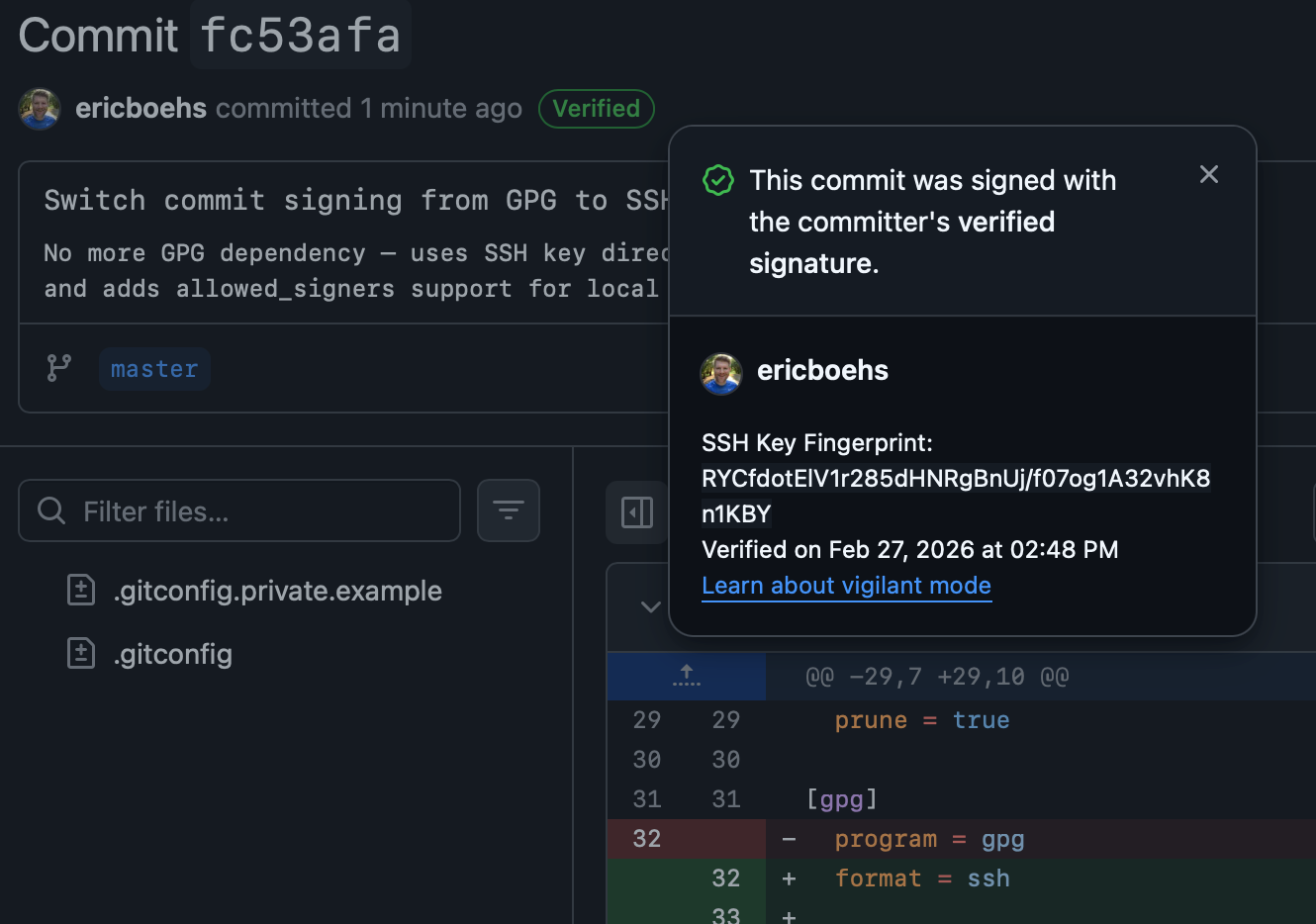
No GPG daemon, no key expiration to deal with, no extra software to install. Just your SSH key doing double duty.
This post was generated with EARL (via Opus 4.6), but reviewed by me.